
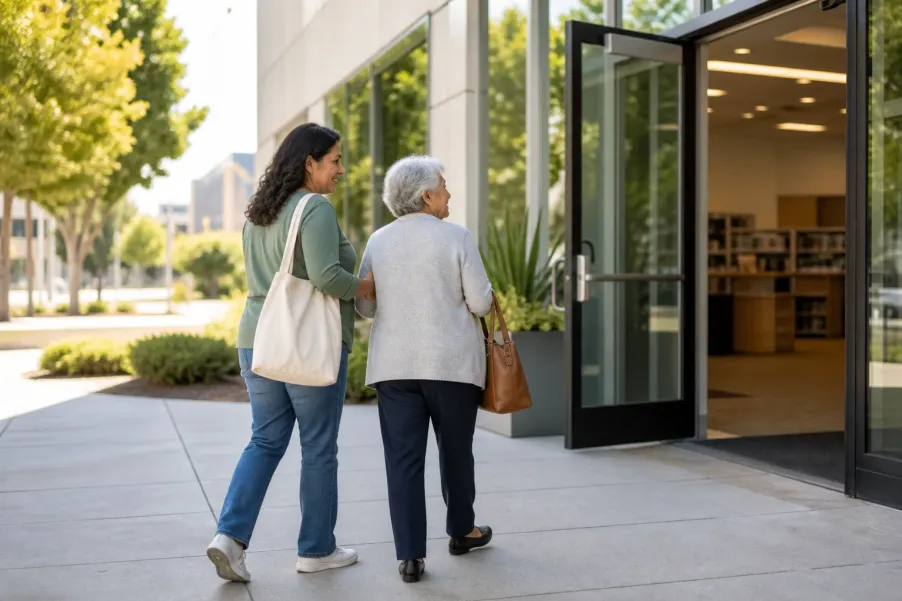
Start by deciding whether you need a full-access LA County Library card or only a digital card. Check the current eligibility and identification list, choose a branch or online path, gather the exact details requested, and plan how you will store the card number and PIN. Confirm requirements with the Library before traveling because policies and branch services can change.
Choose the card by task
A digital card may suit online reading, streaming, and limited physical borrowing. A full-access card supports the broader set of in-library and borrowing services listed by LA County Library.
Match the current ID list
Do not assume one familiar document will work. Compare what you have with the Library’s current one-document or two-document options before a branch visit.
Protect the PIN
Treat the card number and PIN like account credentials. Keep them private, record them in a secure place, and use the Library’s recovery route if the PIN is forgotten.
Call before relying on access
Hours, staffing, parking, accessibility features, devices, printing, and collections vary. A short branch call can prevent a difficult or unnecessary trip.
Getting a library card can look like a small errand, but the best route depends on what you want to do. Someone who mainly wants eBooks at home may need a different starting point than someone who wants public-computer access, printing, physical borrowing, or special equipment. LA County Library also operates separately from the Los Angeles Public Library and other municipal systems, so the name on the application matters.
This guide focuses on LA County Library. It explains a practical preparation method for an older adult, family member, friend, or caregiver without predicting approval. The Library owns its requirements and account decisions. Use the current official pages linked below as the final source, especially if your address, identification, mobility needs, or preferred branch creates a question.
Which LA County Library card should you choose?
Begin with the activity you actually want to complete during the next month. This keeps the choice concrete. Write down two or three intended uses, such as borrowing large-print books, placing holds, listening to audiobooks, using a branch computer, printing a document, or streaming media at home. Then compare those tasks with the current card descriptions.
Full-access card
Choose this path when broader physical borrowing or in-library services matter. LA County Library directs applicants to complete an application and bring it with valid identification to a location. The official page lists available uses and the current ID combinations.
Digital card
Consider this path when immediate online resources are the main goal and the applicant meets the current digital-card conditions. The official application explains its limits, including services that require upgrading at a branch.
| Question | If yes, start here | Confirm before relying on it |
|---|---|---|
| Do you need branch computers, printing, or the broadest physical borrowing access? | Review the full-access card and plan a branch visit. | Current branch services, device rules, fees, and identification. |
| Do you mainly want online books, audio, movies, or music now? | Review the digital-card application. | Residency, age, address, borrowing limits, and excluded services. |
| Do you already have a full-access card? | Use that existing card and PIN rather than creating a second account. | Whether the account is active and the contact information is current. |
| Do you already have a digital card but need wider access? | Ask a branch about upgrading the existing account. | What to bring and whether the chosen location can complete the upgrade. |
If carrying books is difficult, the card application can still be useful. After the account is active, review the LA County Library Books by Mail guide as a separate next step. If you are deciding among large print, eBooks, and audiobooks, the reading-format trial can help you test comfort without assuming one format works for everyone.
How should you prepare identification and address proof?
The official Library Cards page separates acceptable identification into a one-document route and a two-document route. Read the current list from top to bottom. Do not substitute a document merely because another agency accepts it. Pay attention to whether a current address must appear, whether a statement must be recent, and whether two items are required together.
- Open the current ID requirements. Use the official Library Cards page on the day you prepare, not a saved screenshot or an old social post.
- Circle one complete route. Choose either one currently accepted primary item or two currently accepted supporting items. Avoid bringing a random stack without knowing which pair is supposed to qualify.
- Compare names and addresses. Look for differences in spelling, apartment number, former address, or preferred name. Call a branch before traveling if the documents do not line up clearly.
- Check dates and readability. Confirm that statements fall within any stated time window and that printed details are legible. Do not alter a document to make it appear current.
- Protect personal information. Carry only what is needed, keep documents with you, and do not email identification to an unverified address or person.
A helper can organize, but the applicant stays in control
A family member or friend can read the list aloud, enlarge a page, arrange transportation, or help make a branch call. The applicant should understand what information is being submitted and should keep control of the card number, PIN, identification, and account choices whenever possible.
If reading a phone or web page is uncomfortable, adjust the device before entering personal information. The smartphone text-size and magnification guide offers a low-risk way to make instructions easier to see. Use a trusted private device or ask the Library what supported application help is available.
What is the safest way to use the digital-card application?
First confirm that you are on the official LA County Library digital-card page. Read the eligibility statement and service limits before typing personal details. The current application requests identity and contact information, a Los Angeles County street address, date of birth, phone number, and a four-digit PIN. The official page says no PO boxes for the digital-card address field. Requirements can change, so rely on the live form rather than this summary.
Before starting
Have a private email account, phone number, current street address, and a secure four-digit PIN choice ready. Close unrelated tabs and avoid public Wi-Fi if privacy is uncertain.
While entering details
Use the applicant’s accurate legal information where requested. Review spelling and address fields before submission. A helper should not invent, shorten, or reuse information without permission.
After submitting
Save the confirmation and card number in a secure place. Do not post or text the full number casually. Test the account only through the official catalog or resource route.
A digital card is not simply an online copy of every full-access privilege. LA County Library’s current page describes limited physical checkout and excludes some equipment, printing, computer, and pass privileges. If one of those services is your real goal, plan an upgrade rather than discovering the limitation during an urgent task.
How can you plan a full-access card branch visit?
Choose a location from the official Library Locations page. Check the specific branch hours and contact information. Branch schedules can change for holidays, maintenance, staffing, or events. If transportation or stamina is a concern, call before leaving and ask a short set of concrete questions.
A useful call script
“I would like to apply for or upgrade an LA County Library card. I plan to bring these identification items: (name the items). Can your branch complete that today? Is there a quieter time to visit, and what should I know about parking, the accessible entrance, seating, or application help?”
Ask only about features you actually need. Examples include a step-free route, nearby seating, accessible parking, a lower service counter, communication assistance, or extra time to read a form. The answer may vary by building and day. A branch employee can explain what is available; this Article cannot guarantee an accommodation or service.
If you expect to use a public workstation after receiving the card, prepare separately with the public library computer session checklist. Keep private documents off shared computers when possible, sign out fully, and ask staff about local session and printing rules.
What should you bring and do on the day of the visit?
- The exact currently accepted identification or address-proof combination you selected.
- The completed application if you printed it, or enough time to complete the branch copy.
- Any existing digital card number if you are requesting an upgrade rather than a new account.
- A private email address and phone number you can access, if the application or account setup uses them.
- A secure way to record the card number and PIN without leaving them exposed.
- Glasses, hearing devices, mobility aids, or a trusted helper you normally use for errands.
- The branch phone number and a transportation backup in case the visit takes longer than expected.
At the counter, say what you want the card to do. Mention if you already created a digital card. Ask staff to explain any account message, expiration date, borrowing limit, fee, or restriction you do not understand. Before leaving, confirm that you have the card number, know the PIN process, and understand which official website or catalog to use.
Do not feel pressured to memorize every service at once. Pick one simple first task, such as placing a hold, finding an audiobook, or checking the due date. The All Seniors Foundation Articles library includes additional practical guides that can support later steps. If joining a reading group is one of those next steps, use this LA County Library book club preparation guide for older adults to verify the event, select a usable book format, and plan a comfortable first meeting.
How should you set up and maintain the card account?
LA County Library explains that the PIN supports online account access, holds, public-computer use, and virtual resources. Choose a PIN that is not obvious to people around you. Avoid writing the card number and PIN together on the outside of a wallet. A password manager, protected contact note, or sealed home record may be safer, depending on the person’s habits and support needs.
After activation, sign in through the official catalog and review the account. Check the contact information, preferred pickup location, current holds, and notice settings. Learn where due dates and renewal options appear. The Library’s FAQ says cards expire periodically and describes how to reactivate them; confirm the current rule rather than waiting until an important hold is ready.
If the card is lost or stolen, contact LA County Library promptly through an official branch or contact route. Do not assume removing a saved number from a phone closes the account. Ask staff what action is needed and whether any current replacement charge applies.
What help can an older adult request?
Application help should preserve dignity and privacy. An older adult may ask staff to repeat a step, identify the official form, explain the difference between card types, point out where a signature belongs, or describe account access. A trusted helper may take notes or help compare documents. Neither should guess an answer when the Library can clarify it.
For a mobility, vision, hearing, language, or communication need, contact the selected branch in advance. Describe the functional need in plain terms rather than assuming a particular feature exists. For example: “I need a step-free entrance and a place to sit while completing the application. What route should I use?” This gives staff a concrete question they can check.
All Seniors Foundation can help older adults and families organize questions, prepare for community-resource conversations, and think through practical support steps. It does not issue library cards or decide LA County Library policy.
Which application mistakes are easiest to prevent?
- Applying to the wrong library system. Confirm that the page and branch belong to LA County Library, not a different city or county system.
- Choosing a digital card for an in-library task it does not cover. Compare the current limitations with your intended computer, printing, pass, equipment, or borrowing use.
- Bringing incomplete address proof. Select one complete route from the current ID list and check dates, address, and readability.
- Creating a second account unnecessarily. Tell staff about an existing full-access or digital card and ask about reactivation or upgrade.
- Sharing the PIN too broadly. Limit access to trusted support and change or recover the PIN through the official process if security is uncertain.
- Assuming every branch has the same services. Verify hours, accessibility, parking, equipment, and application support with the location you plan to visit.
- Relying on an old checklist. Requirements and charges can change. Reopen the official source immediately before applying.
Where should you confirm current information?
Use primary LA County Library pages for decisions. The following official routes were reviewed for this guide on August 24, 2026:
- Library Cards and Your Account for current card uses, application links, identification options, PIN information, and account guidance.
- Digital Library Card Application for current eligibility, fields, included access, and limitations.
- Library Locations for the selected branch’s current contact route and posted hours.
- LA County Library FAQs for current answers about cards, PINs, expiration, loss, and account questions.
This is educational preparation, not an eligibility determination. LA County Library controls applications, accounts, documents, services, and accommodations. Confirm current details directly with the Library.
If a card is part of a specific history project, use the local history research visit guide to choose one question, confirm the right collection, and preserve source citations before you go.
Would a prepared question list make the next step easier?
All Seniors Foundation can help an older adult or family organize a community-resource conversation and plan practical follow-up while the responsible agency remains the final authority.
Frequently asked questions
Is an LA County Library card free?
LA County Library currently says library cards are free for permanent and temporary California residents. Some replacement, account, or service charges may still apply. Check the current official card page or ask a branch before relying on a cost.
Can I apply for a full-access card entirely online?
LA County Library currently directs full-access applicants to bring an application and valid identification to a library location. The separate digital-card application is online. Confirm the current process with the branch you plan to use.
What is the difference between a digital card and a full-access card?
The digital card offers online resources and limited physical borrowing under current rules, while some computers, printing, equipment, passes, and broader privileges require a full-access card. Review the live comparison before choosing.
What if my identification does not show my current address?
Review the current two-document options on the official Library Cards page and call a branch if your documents do not fit clearly. Do not assume an unlisted substitute will be accepted.
Can a family member complete the application for an older adult?
A helper can organize documents, read instructions, provide transportation, and ask questions with permission. The applicant should understand the submission and keep control of personal information. Ask the Library about any representation need.
What should I do if I lose the card or forget the PIN?
Use an official LA County Library branch, account, or recovery route promptly. The Library provides PIN help and instructions for lost cards. Verify your identity and follow the current replacement or recovery process.





