
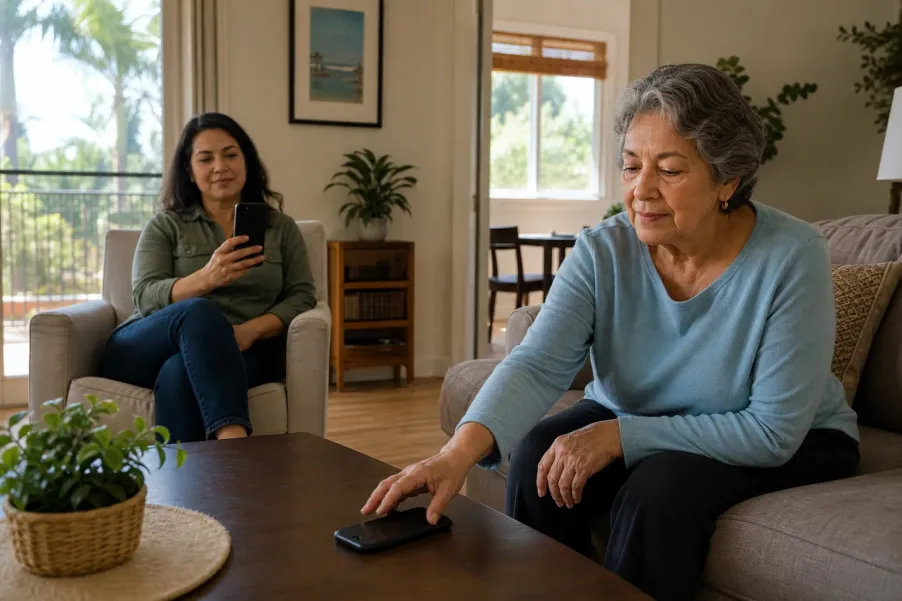
A calm two-phone communication check
A family contact ring-through test answers a practical question: when a phone is intentionally quiet, can the person the older adult chose still make the phone ring? The useful proof is not a promising-looking settings screen. It is a calm, agreed two-phone test completed under the same quiet mode that is used at night, during appointments, or during rest.
This guide is for older adults, family members, caregivers, and trusted helpers in Los Angeles County who want one dependable routine without opening every caller or notification. It covers ordinary family communication. It does not replace 911, Wireless Emergency Alerts, a medical alert device, carrier support, or instructions from public safety officials.
Key takeaways
Choose with permission
The older adult decides which person may interrupt quiet time and whether that permission covers calls, messages, or both.
Test the active mode
A contact allowed in one Focus or Mode may still be silenced by another scheduled mode, device setting, or blocked-number rule.
Use two real phones
Place an ordinary call, listen for the ringtone, check vibration and caller identity, answer, and repeat only the specific condition being verified.
Keep a backup route
Phone settings cannot guarantee delivery during power, carrier, device, battery, or internet trouble, so agree on a second communication method.
What does a family contact ring-through test prove?
Modern phones can use several quiet settings: Do Not Disturb, Sleep, Personal, Work, Driving, Bedtime, or a custom mode. Each mode may have its own allowed people, apps, schedules, and repeat-caller rule. A contact can ring through only when the current combination of settings allows it and the phone can receive the call.
Apple Support explains that an iPhone Focus can allow notifications from selected people, allow calls from chosen groups, and optionally allow repeated calls. Apple also documents Emergency Bypass for a contact, which can permit sounds and vibrations even when notifications are silenced. Google Android Help explains that Android Modes can allow or block people, calls, messages, or conversations and can optionally allow a repeated caller. Google warns that settings vary by phone manufacturer.
The test proves only the condition you actually created: this caller, this number, this phone, this mode, this time, and the current device software. It does not prove that every family member, text message, app call, future software version, or emergency condition will behave the same way.
What should the older adult and helper decide first?
A good setup begins with a conversation, not the Settings app. Ask who should be able to interrupt quiet time and in what situations. One person may be appropriate for a late-night family call while a larger group may be appropriate during daytime rest. The older adult should understand and approve each choice whenever possible.
Decide these five points before touching the phone:
- Chosen caller: one trusted person with a current number saved under a recognizable name.
- Allowed method: voice call, message, or both. Platform options differ, so do not assume one permission covers the other.
- Quiet mode: the exact Focus, Do Not Disturb, Sleep, Bedtime, or other Mode that needs testing.
- Repeat-call rule: whether a second call in a short period should be allowed. This can let unintended repeat callers through, so make a deliberate choice.
- Backup route: another family member, landline, neighbor, building contact, or agreed check-in method if the first phone is unavailable.
Confirm the saved contact before changing permissions. Read the number aloud, ask the chosen caller to confirm it, and remove obsolete duplicate entries only when the older adult agrees. The large-print phone list setup can keep the same current names and numbers available away from the device. If a helper needs to make several changes, use the permission and change-log approach in the technology help session checklist.
How do you complete a safe two-phone ring-through test?
Charge and connect both phones
Check that both phones have power and usable cellular or calling service. Keep them in the same home for the first test so the helper can observe without rushing.
Save and verify the contact
Confirm the caller name and exact number on the older adult’s phone. Make one ordinary call before any quiet mode is active so the pair knows the basic call path works.
Choose one mode
Turn on the exact Do Not Disturb, Focus, Sleep, Bedtime, or custom Mode that is normally used. Avoid testing several modes at once because the result becomes difficult to explain.
Allow the chosen person
Open that mode’s People or interruption settings and allow the saved contact according to the current device instructions. Change only the planned permission.
Place the real call
Set the helper’s phone several feet away, call once, and wait. The older adult should notice the ringtone or vibration, see the expected caller name, answer, and confirm two-way audio.
Check the actual environment
Repeat once from the room where the phone usually rests. A ring that is audible on a quiet table may be too soft from a purse, bedroom charger, or another floor.
Restore the preferred state
End the call, turn off the temporary test condition, and return the phone to the older adult’s preferred quiet mode, volume, and placement.
Record only the result
Write the date, tested mode, caller, and result in a private household note. Do not record passwords, device passcodes, account recovery codes, or unrelated contacts.
If the phone rings before the permission is added, do not assume the setup is broken. The selected mode may allow all contacts, all callers, favorites, or repeated calls. Read the current visible rule before making another change. If the phone stays silent, use the focused checks below rather than switching off every protection.
How do iPhone and Android quiet modes differ?
On iPhone
Start in Settings, then Focus, then the specific Focus. Review People and the call options for that Focus. Emergency Bypass is a stronger contact-level choice because Apple says it can permit sound and vibration even when notifications are silenced. Use it only when the older adult clearly wants that broader behavior.
On Android
Start in Settings, then Modes or Do Not Disturb, and review the notification filters for People. Menu names and available choices vary by manufacturer and Android version. Use the device maker’s support page when the Google path does not match the screen.
For either phone
Review the mode that is actually active, not the one that looks familiar. Scheduled Sleep, Driving, or Bedtime modes can turn on later, and a setting shared across devices may change the behavior.
Do not copy a step list blindly from a different phone. Read each setting aloud in plain language: “This choice allows calls from Maria during Sleep mode.” Avoid vague statements such as “the phone is fixed.” A precise description makes future review easier and gives the older adult a meaningful choice.
The broader senior-friendly smartphone setup guide covers text size, home-screen organization, accessibility, and everyday practice. This Article stays intentionally narrow: one known contact, one quiet mode, one real call, and one documented result.
What should you check when the test call does not ring?
Keep the troubleshooting sequence small. After each change, place one test call and observe the result. If a setting name is missing or unfamiliar, stop and use the official support route for that exact phone model rather than guessing.
Wrong or duplicate contact
Confirm that the incoming number matches the number allowed in the quiet mode. A relative may call from a work phone, internet number, or second mobile number that is not part of the saved contact.
Different mode is active
Look for the current Focus or Mode indicator and its schedule. Permission in Personal mode does not automatically prove permission in Sleep or Driving mode.
Sound is too low
Check ringtone volume, vibration, a hardware silent control when present, Bluetooth audio routing, and where the phone rests. Change one item at a time.
Call is blocked or filtered
Review the known caller only. Do not disable all screening. If the contact was blocked accidentally, correct that one entry and test again.
Network or device problem
Place an ordinary call with the quiet mode off. If that also fails, contact the carrier or device maker. A Focus permission cannot repair a service outage, damaged phone, inactive line, or depleted battery.
App call behaves differently
A FaceTime, WhatsApp, Signal, or other app call may follow app-notification rules in addition to person rules. Test the communication method the family actually plans to use.
A test call is not an emergency drill. Do it at an agreed time and say “this is the practice call” as soon as the older adult answers. Stop if the person becomes tired or worried. During an immediate life-threatening emergency, call 911 and follow current official instructions.
How should a family record and review the result?
Use a short private record that another trusted helper can understand without taking over the phone. Include the tested date, contact name, phone number ending only, quiet mode, whether calls or messages were tested, audible result, vibration result, and the next review trigger. Keep the note where the older adult wants it.
A complete test can be explained in one minute
- The older adult chose the contact and approved the interruption permission.
- The correct number is saved under a recognizable name.
- The real call rang, vibrated, displayed the expected caller, and supported two-way audio.
- The exact quiet mode and repeat-caller choice are recorded.
- A backup communication route is available if the phone cannot receive calls.
Review after a new phone, software update, number change, contact change, carrier change, new scheduled mode, or a failed call. A brief check every few months is also useful for a family that relies on the permission regularly. If several people coordinate help, pair this record with the shared household calendar setup so the review has one owner and one date.
Ready.gov encourages families to make a communication plan and consider how they will reconnect when ordinary conditions are disrupted. A ring-through setting can support that plan, but it is only one layer. The power-outage flashlight and phone charging check covers battery and lighting preparation, while the Los Angeles emergency alert setup check covers official public notifications.
Frequently asked questions
Does allowing one contact turn off Do Not Disturb?
No. A person can be allowed within a specific Focus or Mode while other calls and notifications remain quiet. Review the active mode and test the real call because options vary by phone.
Should I enable Emergency Bypass on iPhone?
Use Emergency Bypass only when the older adult wants that contact to make sound and vibration even when notifications are silenced. A narrower Focus permission may better match ordinary quiet-time preferences.
Why does the contact ring through in one mode but not another?
Each Focus or Mode can have separate people, app, schedule, and call rules. Test every quiet mode the older adult actually uses, including scheduled Sleep, Bedtime, or Driving settings.
Should repeated callers be allowed?
That is a personal choice. The option may let a second call through within a short period, including an unintended repeat caller. Review the current platform wording and test the chosen behavior.
Does one successful test guarantee future calls?
No. Delivery can still be affected by battery, signal, carrier service, blocked numbers, device damage, software changes, or a different active mode. Keep a backup communication route.
What if the ordinary call also fails with quiet mode off?
The problem may involve the saved number, call blocking, carrier service, account status, or the device itself. Stop changing quiet modes and contact the carrier or device maker for support.
Choose one next step today
Ask the older adult to choose one trusted caller and one quiet mode for a calm practice call. If your family also needs help organizing non-emergency senior support questions in Los Angeles County, All Seniors Foundation can help you find a general starting point.
Educational boundary: This Article provides general device and family-communication information. Phone menus and features change by model, manufacturer, software version, carrier, and region. Follow current device-maker and carrier instructions. Call 911 for an immediate life-threatening emergency.





