
Quick answer: An emergency alert setup for older adults should match each important Los Angeles County location with the correct local sign-up system, keep Wireless Emergency Alerts enabled on the phone, save recognizable sender details, and record what was checked. No single alert method covers every place or situation, so use more than one official route and review the setup regularly.
Start with location
The right sign-up depends on whether the address is in the City of Los Angeles, another city, or an unincorporated county area.
Use layered alerts
Opt-in local alerts, phone-level Wireless Emergency Alerts, and radio or television notices do different jobs.
Make alerts recognizable
Save official sender information when the agency publishes it and review sound, spam, and Do Not Disturb settings.
Write down the result
Record the address, delivery methods, date checked, and the official page used so a helper can verify without guessing.
This guide is for older adults, family members, caregivers, and trusted helpers who want a calm, practical way to check emergency notifications. It does not replace instructions from public safety officials. During an emergency, follow current official directions and call 911 for an immediate life-threatening situation.
Why does one alert system not cover everything?
Emergency notification tools overlap, but they are not identical. Los Angeles County explains that residents and businesses may encounter several mass-notification methods. Alert LA County is an opt-in program that can send messages by text, email, or phone call. Wireless Emergency Alerts, often called WEA, are urgent geographically targeted notices sent to compatible cellphones. The Emergency Alert System can interrupt radio or television programming. Cities, schools, employers, and other organizations may also operate their own systems.
This means a good setup is layered. A person may register an address and contact methods with a local opt-in system, keep emergency-alert settings enabled on a cellphone, and still listen for radio or television information when phone service or power is unreliable. The goal is not to collect every possible notification. The goal is to identify the official routes that match the places the person actually lives, works, studies, receives care, or visits often.
For broader household readiness after this setup check, use the All Seniors Foundation guides to disaster preparedness for older adults and building a senior-friendly emergency kit. Those pages cover planning and supplies; this page stays focused on notification setup and verification.
Which alert system matches the location?
Begin with the exact street address, not a general phrase such as “Los Angeles.” The City of Los Angeles is one jurisdiction within Los Angeles County, and many other incorporated cities maintain separate notification routes. County and city pages can change, so verify the current official page instead of following an old bookmark, forwarded message, or search advertisement.
| Important location | Official route to check | What to write down |
|---|---|---|
| City of Los Angeles address | Review NotifyLA and its current sign-up instructions. The City says NotifyLA can send emergency information by phone, email, or text for neighborhoods and other important locations. | Address, registered phone or email methods, and date checked. |
| Another city or an unincorporated county address | Use the Los Angeles County emergency notifications page to find Alert LA County and links for local community systems. | Jurisdiction name, official system name, registration page, and delivery methods. |
| Several important locations | Check each address separately. A home, workplace, school, relative’s home, or regular care location may use a different jurisdictional system. | One row per address so none is assumed to be covered. |
| Cellphone wherever the person travels | Review Wireless Emergency Alert settings on the device. These notices are geographically targeted and are different from address-based opt-in accounts. | Phone model, settings path used, and date checked. |
If an address lies near a city boundary or the jurisdiction is unclear, confirm it through the local city or county page before registering. Do not publish or casually share a person’s home address, phone number, account name, or accessibility information. The written record described below should stay in a secure place chosen by the older adult.
How do you register without losing track?
Use the four-word routine REGISTER / ENABLE / RECOGNIZE / RECORD. Work on one address and one device at a time. This makes the task easier to pause and resume, and it reduces the chance of assuming that a confirmation screen covered a different phone or location.
REGISTER
- Open the official county or city page directly.
- Confirm that the system matches the exact address or location.
- Review which delivery methods are available, such as voice call, text, or email.
- Enter only information the official form requires and that the older adult agrees to provide.
- Complete any confirmation step shown by the system, then save the official confirmation without recording a password.
For a City of Los Angeles address, the current NotifyLA page recommends registering every number and email that should receive notices rather than assuming automatic inclusion is complete. For other locations, follow the current instructions on the relevant official page. System options and wording can differ, so do not copy settings from one account into another without reviewing them.
If the registration asks a question you do not understand, stop and use the contact information published on the official agency page. A trusted helper can sit beside the older adult, but the older adult should decide which contact methods and locations to include whenever they are able to do so.
How do you check phone alerts?
ENABLE means confirming that the phone is able to present the alert methods the person expects. Wireless Emergency Alerts are usually controlled through the phone’s notification or safety settings, but the exact menu depends on device model and software version. Search the settings menu for “emergency alerts,” “public safety alerts,” or “wireless emergency alerts.” Review the visible options; do not turn off government alert categories simply to reduce ordinary notification noise.
Then check the normal paths that can hide an opt-in call or message:
- Confirm the phone can ring, vibrate, and display notifications at a usable volume and brightness.
- Review Do Not Disturb or Focus settings and whether important contacts or alert applications can be heard.
- Look at spam-call and junk-message filtering without disabling useful protection broadly.
- Confirm that the registered email account still opens and has storage available.
- Check that the listed phone number still belongs to the older adult and can receive the selected delivery method.
The official NotifyLA page currently tells subscribers to add its published caller information as a contact and to review Do Not Disturb and WEA settings. Use the number shown on the official page at the time of the check; do not rely on a number copied years ago. For help navigating menus without changing unrelated settings, the senior-friendly technology help session checklist offers a useful permission-first routine.
How do you recognize a real alert?
RECOGNIZE means preparing the person to notice an alert without teaching them to trust every urgent-looking message. Wireless Emergency Alerts have a distinctive presentation on compatible phones. Opt-in city or county messages may arrive as a call, text, or email. Radio and television warnings may interrupt ordinary programming. Save sender or caller information only when it is published on the official agency page.
An alert may contain a location, affected area, hazard, protective action, or route for updates. Read the entire message. If a message asks for money, gift cards, account passwords, one-time verification codes, or remote access to a device, pause and verify through the agency’s official website or published telephone number. Emergency notification registration should not become an opening for a scammer.
If the message is difficult to hear or read, note that during the setup check. Consider a second delivery method that the person can use, such as both text and email, if the official system offers it. The Los Angeles County page says Alert LA County includes accessibility features for people with disabilities and others with access and functional needs; confirm the current options during registration rather than assuming a specific accommodation.
What should the written alert record include?
RECORD creates a simple handoff without storing sensitive credentials. Use paper, a secure note, or a household binder chosen by the older adult. If the family already maintains an emergency care binder, keep this record in a clearly labeled non-password section.
Emergency alert setup record
- LOCATION: street address or a private label such as “home” or “daughter’s home.”
- JURISDICTION: City of Los Angeles, another named city, or Los Angeles County area.
- SYSTEM: exact name shown on the official page.
- DELIVERY: voice call, text, email, cellphone WEA, or another confirmed method.
- RECOGNIZE: official sender information saved and where it was verified.
- CHECKED: date, device, and name of the person who completed the check with permission.
- NEXT REVIEW: the next monthly check date or a date after a phone, number, email, address, or caregiver change.
Do not write passwords, security answers, or one-time codes on this record. A useful handoff says what was verified, not how to take over the person’s account. If a helper needs future access, discuss a safe access plan separately and follow the account provider’s own options.
How can a helper assist respectfully?
A helper should ask before touching the phone, opening email, entering an address, changing a setting, or adding a contact. The task should remain visible to the older adult. Explain each change in plain language and leave a written summary.
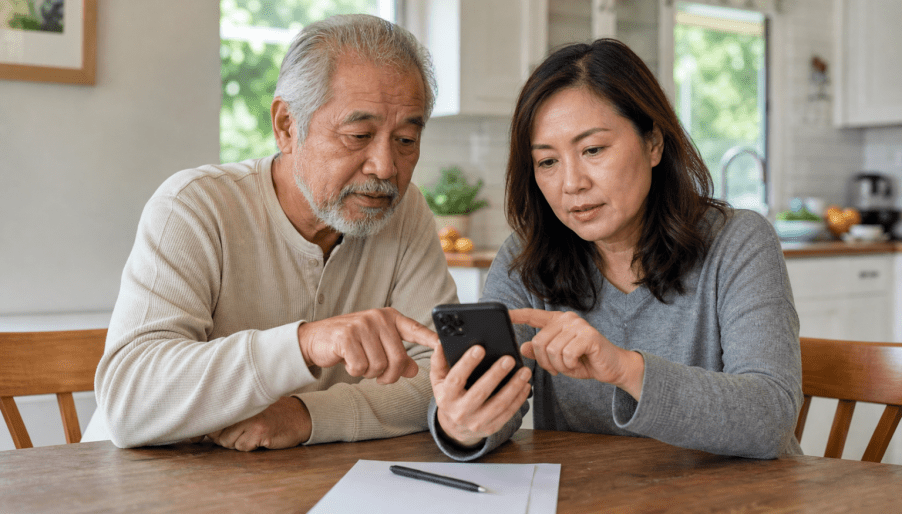
“I would like to help check which official emergency alerts match this address and whether this phone can show them. We can stop at any time. I will not save your password or change unrelated settings. Would you like to do the steps together?”
If the person says no, is tired, or becomes uncertain, pause. A rushed setup is more likely to introduce mistakes. For families coordinating from outside the area, the guide on helping an older loved one in Los Angeles from out of town can help define roles without turning routine support into surveillance.
After the check, ask the older adult to explain where the record is kept and what they would do when an alert arrives. This teach-back is not a test. It is a way to identify unclear labels, unreadable text, low volume, or a missing contact method while help is present.
What is the five-minute monthly check?
Use CHECK / UPDATE / ASK once a month and after any move, new phone, new number, email change, internet-provider change, or support-person change.
- CHECK: Open the written record. Confirm the phone number, email, important addresses, and WEA settings are still current.
- UPDATE: Correct the official account or device setting only when something actually changed. Add the new date to the record.
- ASK: If the jurisdiction, sender, or setting is unclear, use the contact route on the current official county or city page.
Do not expect a test alert on demand. The absence of a recent alert does not prove that the setup failed, and receiving one alert does not prove every future alert will arrive. The monthly task verifies known information and visible settings; it cannot simulate network coverage, power conditions, or an agency’s incident targeting.
What common mistakes should you avoid?
- Assuming “Los Angeles” identifies the system. Verify the actual jurisdiction for each important address.
- Depending on one channel. A text, call, email, WEA, radio, and television notice can fail or reach different audiences.
- Using an unofficial sign-up link. Start from a current government page and inspect the destination before entering personal information.
- Changing settings without permission. A helper should explain the change and let the older adult remain in control.
- Saving passwords in the worksheet. Record completion and delivery methods, not credentials.
- Promising delivery. Registration improves preparedness but cannot guarantee a message under every condition.
- Forwarding stale alerts. Recheck the current agency page and the time and location before sharing.
- Treating alert setup as the whole emergency plan. Notifications should connect to a household communication plan, supplies, transportation options, and current official instructions.
The City of Los Angeles emergency alerts overview provides direct routes for NotifyLA, Alert LA County, and alerts in other California counties. Bookmark that official overview as a starting point, but still record the specific system used for each location.
Frequently asked questions
Do I need both Alert LA County and NotifyLA?
It depends on the important addresses and their jurisdictions. NotifyLA serves City of Los Angeles locations, while Alert LA County and community systems may cover other county locations. Check each address on the current official page instead of assuming one registration covers all places.
Are Wireless Emergency Alerts the same as text-message subscriptions?
No. Wireless Emergency Alerts are geographically targeted government alerts delivered through compatible cellphones. An opt-in city or county system uses the contact information and locations registered with that service. Keeping both routes available can provide useful layers.
Can a family member register alerts for an older adult?
A trusted helper can assist with permission. The older adult should understand which addresses and contact methods are being entered whenever possible. The helper should not save passwords, verification codes, or unrelated private information in the written setup record.
How can I know that an alert setup works?
Confirm the official registration, current contact information, visible phone settings, and any published sender details. No setup can guarantee delivery, and a test may not be available on demand. Recheck after device, address, number, email, or account changes.
What if the alert is hard to hear or read?
Review phone volume, vibration, display, Do Not Disturb, and available delivery methods. If the official system offers accessibility or multiple delivery options, choose those that fit the person. Contact the responsible agency through its official page for current assistance.
What should I do when a real emergency alert arrives?
Read the complete message and follow current instructions from emergency officials for the affected location. Verify updates through official agency channels. Call 911 for an immediate life-threatening emergency, and do not rely on this educational checklist for incident-specific directions.
Need help organizing the next step?
All Seniors Foundation can help Los Angeles County older adults and families organize questions, technology-support needs, and practical planning conversations. We do not control public alert systems or guarantee alert delivery.
Sources checked July 15, 2026: Los Angeles County Emergency Notifications, City of Los Angeles NotifyLA, City of Los Angeles Emergency Alerts, and FEMA Wireless Emergency Alerts. Always confirm current instructions on the responsible agency’s official page.





