
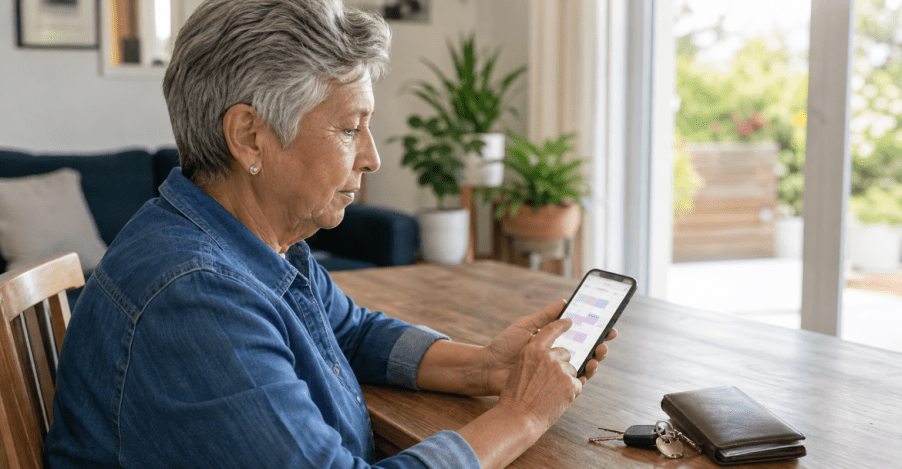
Short answer: California drivers age 70 and older should begin with the current DMV renewal notice, start the application online when practical, confirm whether a knowledge requirement applies, and prepare for an in-person office visit. The notice and official DMV account remain the authority for each person’s exact steps.
Key takeaways for a more organized renewal
Read the notice first
Do not assume a friend or relative had the same requirements. The current renewal notice says whether a knowledge test is required.
Start online when useful
The application and, when offered, eLearning can reduce work at the office, but the age-70-plus process still includes an office visit.
Separate REAL ID documents
A first-time REAL ID application has additional identity and California residency document requirements. Use the official checklist.
Let a helper organize, not answer
A trusted person can help with transportation, device setup, and notes while the applicant handles identity and driving questions personally.
Why should the renewal notice come first?
The California DMV’s Driver’s License Renewal for 70+ guide says drivers age 70 and older renew in person every five years. It also says that a person in this age group might not need a knowledge test and should check the renewal notice to be sure. That makes the notice a decision document, not merely a reminder.
Place the current notice in a dedicated folder or photograph it for temporary reference on a trusted device. Check the name, mailing address, expiration date, and instructions. If an address is outdated, follow the DMV’s current address-change directions before proceeding. The DMV’s senior-driver information advises completing an online address change at least three days before renewal when an address has changed.
Do not use an old renewal notice, an online discussion, or another driver’s experience as a substitute. Requirements can differ because of the record, license type, REAL ID status, and instructions attached to the current application. If the notice is missing, use the official DMV website or a DMV office to identify the appropriate next step rather than guessing.
A practical renewal-preparation sequence
This sequence is an organizational tool, not a DMV deadline. Begin early enough to resolve a missing notice, address issue, transportation need, or document question without rushing on the expiration date.
- Read the complete renewal notice. Circle only the actions it actually requires. Note whether the application may be started online and whether a knowledge requirement appears.
- Check the official DMV account route. Type the DMV address yourself or use a saved official bookmark. Avoid links in unexpected texts, emails, social messages, or online advertisements.
- Decide whether this is a standard renewal or a first-time REAL ID request. A first-time REAL ID request changes the document plan. Do not bring a large file of unrelated records “just in case.”
- Plan the office visit. Confirm the location, appointment instructions, transportation, walking distance, mobility needs, and a backup contact. Allow time without assuming how long the visit will take.
- Make a one-page checklist. List the notice, required documents, eyewear used for driving, confirmation information, payment method, and two questions for DMV staff.
- Review the plan the day before. Charge the phone, recheck the official location and time, place the folder near the door, and avoid last-minute document substitutions.
For a larger-font contact and confirmation page, use the All Seniors Foundation guide to setting up a large-print phone list. If the trip involves public transit, a family member can adapt the public-transit practice-trip guide before the appointment date.
What can be started online?
The DMV says most of the renewal process for drivers age 70 and older can be started online, including the driver’s license and identification card application. Starting online can reduce data entry at the office, but it does not eliminate the required in-person completion for this age group.
If the current renewal notice requires a knowledge test, the DMV may offer its online eLearning course to an eligible noncommercial Class C renewal applicant. The official DMV Online Learning page explains that eLearning is selected during the renewal application and is completed through the access route provided after selection. Availability and eligibility belong to the DMV process, so do not assume the option will appear for every applicant.
Before signing in
- Use a private device and trusted internet connection.
- Confirm the address ends in dmv.ca.gov.
- Have the current notice nearby.
- Use an email address the applicant can access.
After an online step
- Save the official confirmation.
- Record what remains for the office visit.
- Sign out on a shared device.
- Do not email identity-document images to a helper.
If screen text is difficult to read, review the reversible smartphone text-size and magnification steps. A trusted person can also use the technology-help session checklist to prepare the device without taking control of the applicant’s answers.
What should an older adult bring to the DMV?
Use the renewal notice as the primary bring-list. For a standard in-person renewal, the DMV’s renewal guidance includes completing the application or bringing the mailed renewal notice, a vision exam, a new photo, the application fee, and a knowledge test only when required. Bring corrective lenses used for driving so the vision step reflects ordinary driving conditions.
A first-time REAL ID application is a separate document lane. The official California DMV REAL ID information and REAL ID checklist explain the current acceptable identity and California residency documents. The checklist generally calls for one accepted proof of identity and two different printed proofs of California residency, with additional name-change documentation when applicable. Use the live checklist because accepted documents and individual circumstances can change.
| Confirm | Bring or prepare | Avoid |
|---|---|---|
| Current renewal instructions | Renewal notice or official application confirmation | An old notice or a relative’s checklist |
| Vision step | Eyeglasses or contact lenses normally used for driving | Changing the usual correction only for the visit |
| REAL ID status | Only the documents shown by the current official checklist | Unnecessary originals or unverified photocopies |
| Payment and questions | An accepted payment method and a short question list | Sending payment or document images through an unsolicited link |
What happens during the in-person visit?
The DMV’s current renewal page says an in-person renewal can include an application review, thumbprint scan, vision exam, updated photograph, fee, and a knowledge test when the renewal notice requires one. The exact sequence can vary by office and application, so follow staff directions rather than trying to force a checklist order.
At the counter, ask one question at a time. If an instruction is unclear, repeat it in your own words: “To make sure I understand, my next step is…” A helper may take notes, but the applicant should answer personal identity, vision, and driving questions directly unless DMV staff instruct otherwise.
California DMV guidance says that after the in-person requirements are completed, the DMV may issue a temporary driver’s license while the new card is being produced. Before leaving, confirm what document was provided, any restrictions or follow-up instructions, and how to check the license status through an official route. Do not assume the temporary document or delivery timing; read what the DMV actually provides.
How can a family member help without taking over?
A helper can make the process calmer while preserving the older adult’s independence and privacy. Before the appointment, agree on the helper’s role. Useful tasks include checking the official office address, arranging transportation, setting up device accessibility, printing the one-page checklist, and carrying the folder if requested.
During an online application, the helper can point to fields and read instructions aloud. The applicant should provide the answers and keep control of passwords and account recovery. During the office visit, the helper can take notes, ask for repetition, and help locate an item in the folder. The helper should not coach an answer about eyesight, driving history, identity, or health.
If the applicant becomes tired or confused, pause and ask DMV staff what options are available. Do not guess, click through an unclear attestation, or sign something the applicant does not understand. Rescheduling may be safer than rushing, but only DMV staff can explain how that affects the application.
What should you do after the appointment?
- Read the temporary or confirmation document. Note its exact purpose and any expiration or follow-up instruction.
- Store the receipt and notice safely. Do not photograph or text identity details unless there is a verified need and secure method.
- Use only official status tools. Type the DMV web address directly or use the official account. Avoid paid “status” services and unsolicited delivery messages.
- Write down one follow-up date. Choose a reasonable date to check the official status if the card has not arrived, based on the DMV’s current guidance rather than an invented promise.
- Dispose of temporary notes carefully. Shred pages that contain account, application, or identity details once they are no longer needed.
If a voicemail or text claims there is a renewal problem, do not use the callback number or link in that message. Open the official DMV site independently and compare the claim with the real account or receipt. The All Seniors Foundation safe callback and voicemail log offers a separate method for verifying an unexpected message.
Common preparation mistakes to avoid
- Assuming everyone age 70+ must take the same test. Check the current renewal notice.
- Treating an online start as a fully online renewal. The age-70-plus renewal includes an in-person completion step.
- Mixing standard renewal and first-time REAL ID documents. Decide which process applies before assembling the folder.
- Waiting until the expiration date to notice an address or transportation problem. Begin with enough time to verify the official next step.
- Letting a helper control the account. Assistance should improve access without weakening the applicant’s privacy or agency.
- Trusting a sponsored result, text, or email because it uses DMV language. Verify the domain and enter the official site independently.
Need help organizing a senior-support question? Contact All Seniors Foundation for current information about the nonprofit’s support and resource-navigation services in Los Angeles County. ASF does not make DMV decisions or collect DMV identity documents.
Frequently asked questions
Do California drivers age 70 and older have to renew in person?
Yes. The California DMV says drivers age 70 and older renew their driver’s license in person every five years, although parts of the application may be started online.
Does every California driver over 70 have to take a knowledge test?
No. The DMV says a driver age 70 or older might not need a knowledge test. The current renewal notice indicates whether a knowledge requirement applies.
Can eLearning replace a required knowledge test?
Eligible renewal applicants who are required to complete a knowledge test may be offered the DMV’s online eLearning course. The option must appear in the official renewal process; it is not available automatically to everyone.
What should I bring for a first-time REAL ID application?
Use the current California DMV REAL ID checklist. It identifies accepted proof of identity, California residency documents, and any name-change documentation that applies to the applicant.
Can a family member complete the DMV renewal for an older adult?
A family member can help organize documents, transportation, device access, and notes. The applicant should provide personal answers and follow DMV staff instructions for identity, vision, and driving-related steps.
Should I send DMV documents to All Seniors Foundation?
No. Do not send ASF a driver’s license number, Social Security number, DMV password, payment information, or REAL ID documents. Keep identity information within the verified official DMV process.
Educational boundary: This guide explains an organization and preparation routine. It does not determine driving fitness, renewal eligibility, test requirements, REAL ID eligibility, fees, appointment availability, license status, or legal rights. Follow the current renewal notice and official California DMV instructions.
Prepare for another identity-document appointment
If the next task is a first passport or another application that cannot be renewed routinely, use the passport acceptance appointment guide for older adults in Los Angeles County to confirm the submission route, physical documents, photocopies, separate payments, and accessible arrival plan.





