
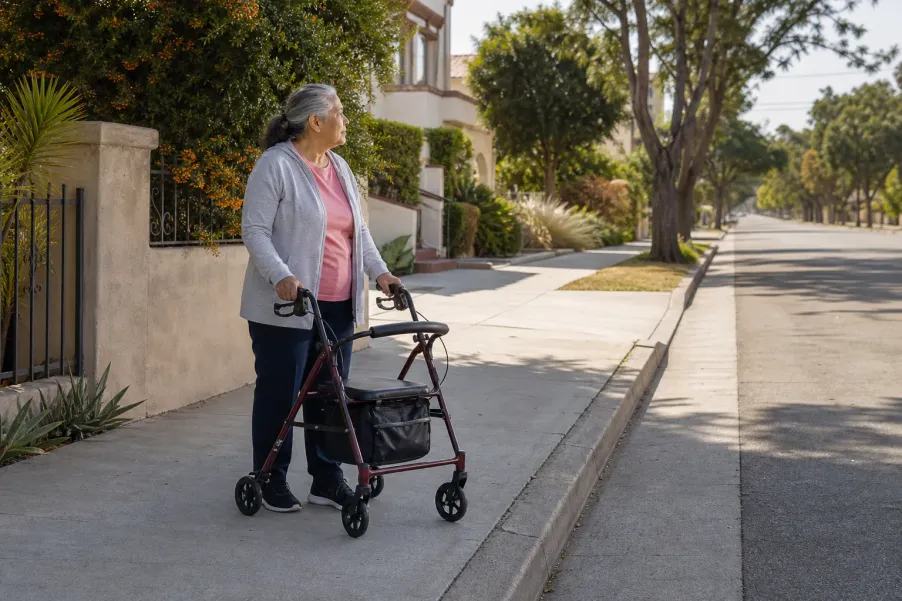
For an Access paratransit pickup, confirm the scheduled time, exact curb or stand, return trip, passengers, mobility equipment, fare, and confirmation number. Be at the safe curb before the scheduled time with your Rider ID ready. Watch the 20-minute on-time window, remember that the driver waits five minutes, and use official Access ETA tools if the vehicle is late.
Confirm the exact curb
A correct street address can still have several entrances, driveways, stands, or curbs. Choose one legal, visible, accessible meeting point.
Prepare before the window
Access currently treats arrival from the scheduled time through 20 minutes afterward as on time. Be ready before that window begins.
Keep the five-minute wait in mind
Once the vehicle arrives at the correct location, a short search for an ID card, coat, guest, or walker can consume the driver wait.
Know how to check a late ride
Where’s My Ride and the regional reservation line can provide ETA information. A medical emergency still belongs with 911.
What is Access paratransit, and what is it not?
Access Services is a Los Angeles County public entity that facilitates complementary ADA paratransit through regional transportation providers. Access describes the service as shared-ride, primarily curb-to-curb public transportation for eligible people with disabilities who cannot use accessible fixed-route buses and trains for some or all trips. It is not an age-based ride program, a private taxi, an ambulance, or transportation with medically trained staff.
This guide begins after a rider has been certified and a trip has been scheduled. Eligibility type, service area, operating hours, and permitted trips can differ. Read the rider’s Welcome Letter, check the current Access Rider’s Guide, and confirm case-specific details with Access. The broader ASF guide to senior transportation options in Los Angeles compares categories, while this page focuses only on one Access pickup.
What should you verify the day before the ride?
Access uses next-day reservations for ordinary trips. The current Rider’s Guide says the reservationist asks for the Rider ID number, exact pickup and drop-off addresses, mobility device or service-animal information, the number of people traveling, a requested time, optional cross street or landmark, and a call-out number. A return ride is not automatic. If you need one, it must be requested.
Read the reservation back as one complete plan
- Rider name and Access Rider ID number
- Trip date, accepted scheduled pickup time, and confirmation number
- Exact pickup address plus curb, entrance, stand, cross street, or landmark
- Exact destination and the correct public entrance
- Return pickup time, return location, and separate confirmation details
- Personal care attendant, guest, child, or service animal listed correctly
- Wheelchair, scooter, walker, white cane, oxygen, or other adaptive equipment recorded
- Fare and the payment method currently accepted for that service region
- Phone number that can receive the requested call or text notification
Access may offer a time within one hour before or after the time requested during booking. That reservation window is different from the 20-minute on-time window on ride day. Write down the accepted scheduled time, not only the time you first requested. Access’s current Online Reservations instructions also tell riders to review passenger, equipment, pickup, drop-off, fare, call-out, and confirmation information before scheduling.
If you changed mobility equipment since certification, do not assume the saved vehicle-space information is still correct. Contact Access as directed in the Rider’s Guide. The right vehicle assignment depends on accurate equipment information, and a day-of surprise is much harder to solve at the curb.
How do you choose a pickup point the driver can use?
“At home” is often too vague. Stand where the vehicle can legally and safely stop and where rider and driver can recognize each other. Avoid a red curb, double-parking location, blocked driveway, emergency entrance, private gated area the vehicle cannot enter, or a place where a large vehicle would need to back out. At a mall, medical campus, apartment complex, or other large property, use the exact Access stand or clearly described entrance when one exists.
Can the vehicle stop legally?
Look for an unpainted legal curb or an official stand. Do not choose a red zone, fire lane, double-parking space, or entrance that must remain clear.
Can both sides identify it?
Name the building, street side, entrance, cross street, or stable landmark. “Front” may mean different places on a corner or large property.
Can the rider reach it?
Check the path, slope, curb cut, gate, lighting, surface, distance, and room for the actual mobility device. Do this before ride day.
Is more help needed?
Access is primarily curb-to-curb. Ask Access about Beyond the Curb or a reasonable modification when the certified rider needs additional assistance.
Walk the route from the door to the curb at the same general time of day if practical. A recycling bin, delivery truck, school traffic, construction barrier, locked gate, or landscaping crew can change the usable space. If the rider cannot reach the curb without help, arrange a personal care attendant, trusted helper, or the applicable Access assistance before the vehicle arrives.
What should be ready before the Access vehicle arrives?
In hand
Access Rider ID card, confirmed fare or payment method, phone if used, keys, destination details, and only the personal information needed for the trip.
On the rider
Weather-appropriate clothing, secure footwear, glasses or hearing devices normally used, and any medication the rider independently manages during the trip.
With the equipment
Mobility device ready to move, brakes and loose accessories checked, batteries charged when relevant, and medical equipment controlled by the rider.
With companions
The listed PCA, guest, or service animal is present and ready. The helper knows whether they are boarding or only completing the curb handoff.
The Rider’s Guide currently limits packages to the equivalent of two large paper grocery bags with a combined weight no more than 25 pounds, and the rider must maintain control of them. Check the current rule before a shopping trip. Reduce loose items by placing essentials in one closed, manageable bag that does not interfere with the mobility device or boarding.
Do not rely on a call-out as the signal to begin getting dressed or gathering belongings. Access says call-outs are not guaranteed. The rider remains responsible for being at the curb when the vehicle arrives. A family contact ring-through test can help confirm that the rider and helper can reach each other before an important day, but it does not replace the official Access contact route.
How should you use the 20-minute pickup window and five-minute driver wait?
Access currently defines a 20-minute on-time window beginning at the scheduled pickup time. A vehicle scheduled for 11:00 a.m. may arrive from 11:00 through 11:20 a.m. and still be on time. The driver waits five minutes at the correct location. If the vehicle arrives early, Access says the five-minute wait begins at the scheduled pickup time.
Before the scheduled time
Finish restroom, coat, footwear, bag, Rider ID, fare, equipment, PCA, and guest preparation. Move to the verified curb early enough to be settled safely.
At the scheduled time
Be visible at the exact curb or stand. Keep the phone available if a call-out was requested, but continue watching for the vehicle.
During the on-time window
Remain at the pickup point unless immediate safety requires moving. Use Where’s My Ride or the regional ETA option at the time Access permits.
When a vehicle arrives
Look for the expected vehicle information. If the vehicle is unfamiliar, ask whether the driver is serving the Access trip before approaching or boarding.
Before boarding
Show the Rider ID, confirm the rider or destination as appropriate, present the fare, and follow the driver’s instructions for the mobility device and seating.
What is the official way to check an ETA?
Access’s Where’s My Ride tool can show the vehicle location 15 minutes before the scheduled time and works through smartphones, computers, tablets, and SMS on older flip phones. Access also tells riders to call the reservation number, select the region, and use the ETA option within 15 minutes of the due time. If the vehicle misses the ETA provided, call again for a revised ETA.
When requesting an ETA, have the Rider ID, trip date, scheduled time, pickup location, and confirmation number ready. Note the vehicle number, type, location, and estimated arrival information provided. Keep the line between “late” and “emergency” clear: an overdue ride is handled through Access; a medical emergency or immediate danger is handled through 911.
A concise ETA request
“I am an Access rider waiting for my scheduled pickup at [exact curb or stand]. My scheduled time is [time], and my confirmation number is [number]. Please confirm the vehicle number, vehicle type, current location, and estimated arrival time. I am at the curb and ready to board.”
How can a family member or PCA make the handoff clearer?
Decide before ride day whether the helper will board, wait only until the rider boards, meet the rider at the destination, or stay available by phone. Do not tell the driver “someone else has it” when that person is not at the curb. The rider and helper should each know the exact pickup point, scheduled time, destination entrance, return plan, and official escalation number.
For a rider who uses a PCA, confirm that the PCA is listed and that the Rider ID reflects the applicable authorization. Access says an approved PCA rides free; guest rules and fares differ. A helper should not promise that an unlisted person, extra guest, different equipment, or last-minute stop will be accepted. Confirm changes with Access.
A simple handoff can sound like: “We are at the unpainted curb on the north side of the building beside the main accessible entrance. The rider has the ID and fare. The burgundy rollator was included in the reservation. I am boarding as the listed PCA, and the return trip is confirmed for the same entrance.” For more non-emergency coordination tools, use ASF’s Senior Support Guides.
What should you do when the plan changes or the pickup goes wrong?
You need to cancel
Cancel as soon as possible through Access. The current guide says a cancellation less than two hours before pickup may be recorded like a no-show.
The curb becomes unusable
Move only as safety requires, remain nearby and visible when possible, and contact Access with the exact new legal location. Do not wait in traffic or a red zone.
The vehicle is beyond the ETA
Call the reservation line again for a revised ETA. If the ride still cannot be located or a return trip is missed, follow the current Operations Monitoring Center instructions.
A no-show was not your fault
Preserve the time, call history, location, and vehicle details. Access says a rider may explain what happened and dispute or appeal a no-show decision.
Do not arrange a pickup by sending a Social Security number, banking login, one-time code, or medical record to an unknown caller. Use phone numbers and apps reached from Access’s official site or Rider’s Guide. The 211 LA resource call preparation guide can help organize a separate search for transportation alternatives, but 211 is not the dispatcher for an existing Access trip.
Common mistakes include writing only the requested time instead of the accepted scheduled time, forgetting the return trip, waiting inside for a call-out, choosing a red curb, omitting a changed mobility device, carrying too many loose bags, assuming a helper is listed, and calling an unofficial number from a search ad or unexpected message. One calm day-before review prevents many of these problems.
Which official Access resources should riders keep?
- Access Rider’s Guide PDF — current detailed policies for reservations, curbside pickup, on-time windows, wait time, fare, companions, equipment, cancellations, and ETA help.
- Access Rider’s Guide text page — searchable, accessible policy text and official phone routes.
- Access Online Reservations — current booking, review, editing, cancellation, call-out, passenger, and equipment instructions.
- Access Where’s My Ride — official vehicle-location and rider-tool information.
Policies, phone menus, regional hours, fares, tools, and service conditions can change. Confirm the current rule with Access, especially for Santa Clarita, the Antelope Valley, transfers, reasonable modifications, changed equipment, or an unusual pickup location. This Article is educational planning information and does not establish eligibility, reserve or dispatch a ride, guarantee arrival, or replace Access instructions.
Frequently asked questions
How early should an Access rider be at the curb?
Be at the verified curb before the scheduled pickup time with the Rider ID, fare, equipment, and companions ready. Access defines the on-time window from the scheduled time through 20 minutes afterward, so the rider should not begin preparing when that window starts.
How long does an Access driver wait at the pickup point?
Access says the driver waits five minutes at the correct curb or stand. If the vehicle arrives early, the five-minute wait begins at the scheduled pickup time. Use the waiting period to board, not to finish dressing, gather bags, or locate the Rider ID.
Can an Access driver come inside an apartment building?
Access is primarily curb-to-curb, so the driver generally cannot leave the vehicle to enter a building. Riders who need more assistance should confirm Beyond the Curb service or a reasonable modification with Access and arrange a PCA or trusted helper when appropriate.
What should a rider do if the Access vehicle is late?
Use Where’s My Ride or call the official reservation line for an ETA within the time Access permits. Record the vehicle and ETA details. If the vehicle misses the revised ETA, call again and follow the current Access escalation instructions.
Does Access automatically schedule a return ride?
No. Access says a return trip is not automatic. Request it during booking, confirm the return pickup time and exact location, and keep the return confirmation details with the outbound trip information.
Is Access the same as emergency or medical transportation?
No. Access is shared public paratransit, not an ambulance or transportation with medically trained staff. Call 911 for a medical emergency or immediate danger, and use the responsible medical transportation provider when specialized support is required.
Need help organizing your transportation questions?
All Seniors Foundation may help Los Angeles County older adults and families organize questions and identify appropriate public resources when available. ASF does not operate Access, certify riders, reserve or dispatch trips, provide medical transportation, or guarantee service.





