
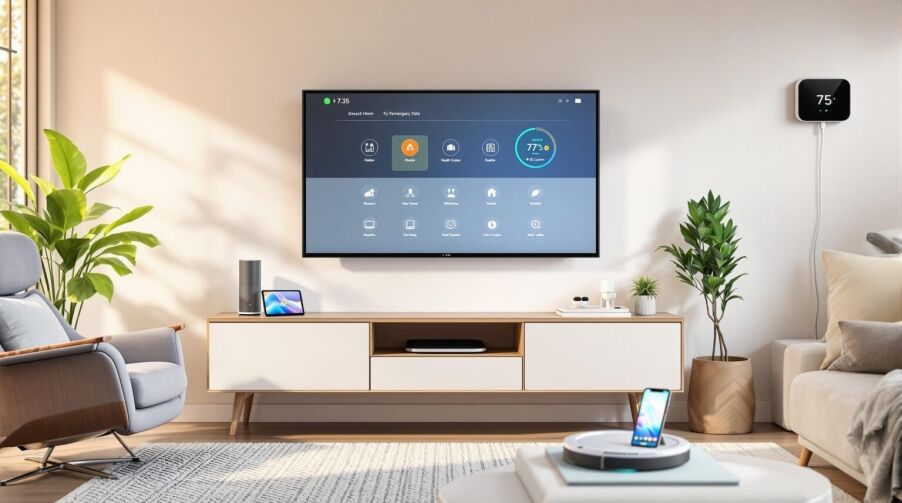
Quick answer: The best tech gadgets for seniors in 2026 are the ones that solve practical daily problems: staying connected, asking for help quickly, remembering medications, preventing falls, improving home safety, making reading easier, and reducing caregiver worry. Start with one simple device that matches the senior’s comfort level, then build from there.
Best Tech Gadgets for Seniors in 2026
Technology can help older adults stay safer, more independent, and more connected, but only when the device is easy to use and fits the person’s real routine. A gadget that looks impressive online may not help if the buttons are tiny, the app is confusing, the monthly fee is unclear, or the senior does not feel comfortable using it.
This guide is written for seniors, adult children, caregivers, and case managers comparing gadgets for seniors, technology for older adults, senior safety devices, and practical tech gifts for elderly parents. All Seniors Foundation helps qualifying older adults and families in Los Angeles County connect with free support services, care coordination, in-home support, transportation resources, and practical senior help.
Key Takeaways Before Buying Senior Technology
- Ease of use matters more than features. Large buttons, voice control, simple screens, and clear instructions are often more valuable than advanced settings.
- Safety devices should be tested. Emergency buttons, fall alerts, doorbells, and medication reminders should be tested with the senior and caregiver before relying on them.
- Check monthly costs. Some medical alert systems, smart security devices, and monitoring tools require subscriptions.
- Privacy should be discussed. Cameras, location tracking, and caregiver apps can be helpful, but the senior should understand what is being shared.
- Pair tech with human support. Devices can support independence, but they do not replace medical care, emergency services, family contact, or professional guidance.
1. Smart Speakers and Voice Assistants
Smart speakers can be one of the easiest technologies for seniors because they work by voice. A senior can ask for the weather, set reminders, play music, turn lights on or off, hear the news, or call a family member without using a small touchscreen.
- Good for: seniors with limited mobility, low vision, arthritis, or difficulty navigating phones.
- Helpful uses: medication reminders, calendar alerts, hands-free calls, music, radio, lights, and simple home routines.
- Setup tip: create short, predictable commands and write them on a printed card near the device.
2. Smartwatches and Wearable Safety Devices
Wearable devices can support activity tracking, fall alerts, heart-rate trends, reminders, and emergency calling. They are especially helpful when a senior is willing to wear the device every day and keep it charged.
- Good for: active seniors, seniors living alone, and families who want a simple emergency-contact option.
- Features to compare: battery life, emergency calling, fall detection, screen size, volume, water resistance, and whether a phone is required.
- Caregiver note: test alerts in a non-emergency situation so everyone knows what happens when the button is pressed.
3. Personal Emergency Response Systems
A personal emergency response system, often called a medical alert device, is usually a pendant, wristband, or small home unit with a help button. Some systems include fall detection, GPS, caregiver notifications, or 24/7 monitoring.
- Good for: seniors with fall risk, seniors who live alone, and families worried about delayed help.
- Questions to ask: Is monitoring included? Is there a monthly fee? Does it work outside the home? Is there fall detection? What happens if the senior cannot speak?
- Important: for emergencies, call 911. A device should support emergency planning, not replace it.
4. Smart Medication Reminders and Dispensers
Medication schedules can become complicated when a senior takes multiple prescriptions or has different morning, evening, weekly, or as-needed routines. Smart medication tools can remind the senior, organize pills, and alert caregivers when a dose is missed.
- Simple option: a large digital timer or talking reminder clock.
- Advanced option: a locked dispenser that releases the correct compartment at the scheduled time.
- Safety note: medication decisions should always be reviewed with a licensed healthcare professional or pharmacist.
5. Easy-to-Use Tablets and Video Calling Devices
Tablets can help seniors video chat with family, join telehealth appointments, read messages, view photos, play brain games, and access online classes. The best tablet is not always the most powerful one; it is the one the senior can comfortably use.
- Look for: large screen, loud speaker, adjustable text size, simple home screen, strong battery life, and easy video calling.
- Family setup tip: place the most important apps on the first screen and remove unnecessary clutter.
- Related guide: How to Set Up a Senior-Friendly Smartphone.
6. Large-Button Phones and Simplified Smartphones
Some seniors want a smartphone, while others need a simpler phone with large buttons, loud sound, emergency dialing, and a clear display. Either can be the right choice depending on the senior’s comfort level.
- Good for: seniors with vision, hearing, memory, or dexterity challenges.
- Useful features: high-contrast screen, emergency contact button, hearing-aid compatibility, voice dialing, large text, and simple menus.
- Setup tip: add family contacts, pharmacy numbers, doctor offices, and transportation contacts before giving the phone to the senior.
7. Video Doorbells and Home Safety Cameras
Video doorbells and simple security cameras can help seniors see who is at the door before opening it. They may also help caregivers notice deliveries, visitors, or unusual activity around the home.
- Good for: seniors worried about scams, unwanted visitors, missed deliveries, or answering the door alone.
- Privacy tip: discuss where cameras will be placed and who can see recordings or alerts.
- Setup tip: choose a system with simple alerts and a clear chime or screen inside the home.
8. Automatic Lights, Smart Plugs, and Motion Sensors
Simple home automation can reduce fall risk by making it easier to see at night. Motion-sensing lights, smart plugs, and voice-controlled lamps can help a senior avoid walking through dark rooms to reach a switch.
- Good for: hallways, bathrooms, bedrooms, kitchen paths, and entryways.
- Low-cost option: plug-in motion night lights.
- Caregiver tip: test brightness at night so lights help visibility without startling the senior.
9. Telehealth Accessories
Telehealth is easier when the senior has the right basic tools. A tablet stand, better lighting, a comfortable chair, a large-screen device, and a prepared medication list can make virtual visits less stressful.
- Helpful devices: blood pressure monitor, pulse oximeter, thermometer, tablet stand, and a simple webcam or tablet camera.
- Preparation tip: write down symptoms, questions, medications, and recent readings before the appointment.
- Related support: All Seniors Foundation can help families think through care coordination, transportation, and appointment-related needs.
10. Bluetooth Hearing Support and TV Listening Devices
For seniors with hearing difficulty, Bluetooth-enabled hearing aids, TV listening headsets, amplified phones, and captioning tools can make conversation and entertainment easier.
- Good for: seniors who turn the TV very loud, miss phone calls, or struggle in group conversations.
- What to compare: comfort, battery life, charging method, phone compatibility, and professional fitting needs.
- Safety note: hearing concerns should be discussed with an audiologist, physician, or qualified hearing professional.
11. E-Readers and Accessible Reading Tools
E-readers and reading apps can help seniors keep reading when small print, heavy books, or poor lighting become barriers. Adjustable font size, screen brightness, audiobook access, and library apps can make reading more comfortable.
- Good for: seniors who enjoy reading, have low vision, or want lightweight access to books.
- Features to look for: large text, glare reduction, audiobook support, long battery life, and simple library access.
- Helpful companion: a tablet stand or lightweight case can reduce hand strain.
12. Scam Protection and Password Tools
Online safety is one of the most important senior technology topics. Password managers, scam-blocking phone tools, privacy settings, and trusted-family review routines can reduce risk.
- Good for: seniors using email, online banking, social media, shopping, or text messaging.
- Simple rule: do not click urgent links, give codes over the phone, or send money because of a sudden message.
- Official resource: review the Federal Trade Commission scam guidance.
How to Choose the Right Gadget for an Older Adult
Before buying, ask what problem the device is supposed to solve. A senior who wants easier family calls may benefit most from a simplified tablet. A senior with fall risk may need a medical alert device. A senior who forgets doses may need medication reminders. A senior who worries about the door may benefit from a video doorbell.
Use this quick checklist:
- Can the senior use it without frustration?
- Are buttons, text, volume, and alerts easy to understand?
- Is there a subscription or replacement battery cost?
- Who will set it up and help if it stops working?
- Does it respect the senior’s privacy and preferences?
- Does it connect with a real care plan, family contact plan, or emergency plan?
Free Senior Support in Los Angeles County
All Seniors Foundation provides free support services for qualifying older adults in Los Angeles County. If technology needs connect with transportation, care coordination, in-home support, medical equipment, safety planning, or family caregiving questions, our team can help connect seniors and families with practical next steps.
- Free Senior Help in Los Angeles
- Care Coordination for Seniors
- Medical Equipment Assistance
- Non-Emergency Medical Transportation
- Senior Support Guides in Los Angeles
Frequently Asked Questions About Senior Tech Gadgets
What is the best gadget for elderly parents?
The best gadget depends on the need. For safety, consider a medical alert device or smartwatch with emergency features. For connection, consider a simplified tablet or large-button phone. For daily routines, consider medication reminders, motion lights, or a voice assistant.
Are smartwatches good for seniors?
Smartwatches can be helpful for seniors who will wear and charge them consistently. Look for emergency calling, fall alerts, easy screens, clear sound, and a comfortable band. They should be tested before relying on them for safety.
What technology helps seniors live independently?
Voice assistants, medication dispensers, emergency response devices, automatic lighting, video doorbells, simplified phones, and telehealth accessories can all support independent living when matched to the senior’s abilities and routine.
What tech gifts are useful for seniors?
Useful tech gifts include easy tablets, e-readers, large-button phones, motion night lights, TV listening devices, smart speakers, and medication reminder tools. Avoid overly complicated devices unless someone can help with setup and support.
Can technology replace caregiving?
No. Technology can support independence and make caregiving easier, but it does not replace human care, medical advice, emergency services, supervision, or family communication when those are needed.
How can All Seniors Foundation help with senior technology questions?
All Seniors Foundation can help families think through practical support needs that often connect with technology, including care coordination, in-home support, transportation resources, appointment planning, and senior safety questions in Los Angeles County.





